
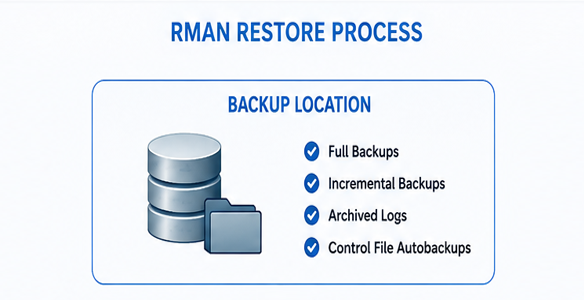
Oracle Restore Script
Oracle Local RMAN Restore Helper
Overview
The Oracle Local RMAN Restore Helper is a Windows Batch utility designed to simplify Oracle database recovery using local RMAN backups. It automates the complete restore workflow, reducing manual intervention while providing a consistent and repeatable recovery process.
The tool supports both Latest Recovery and Point-in-Time Recovery (PITR), automatically determining the correct Oracle database incarnation when required and generating all RMAN commands dynamically.
Designed for Oracle Database administrators, the script minimizes the risk of human error during critical recovery operations and provides comprehensive logging and backup analysis.
Main Features
- Fully automated Oracle database restore using RMAN.
- Supports Latest Recovery (recover to the latest available transaction).
- Supports Point-in-Time Recovery (PITR).
- Automatic detection of the correct Oracle database incarnation for PIT restores.
- Automatically issues RESET DATABASE TO INCARNATION when required.
- Automatic OPEN RESETLOGS after PIT recovery.
- Automatic OPEN DATABASE after Latest recovery.
- Generates the complete RMAN restore script automatically.
- Supports both NOCATALOG and Recovery Catalog environments.
- Preview mode allowing RMAN script validation without executing the restore.
- Native RMAN execution with real-time console output.
- Automatic backup inventory analysis.
- Automatic RMAN backup cataloging.
- Automatic CROSSCHECK of backups and archived logs.
- Multi-channel restore support for improved performance.
- Detailed execution logging.
- Minimal operator console with comprehensive information written to log files.
- Automatic generation of supporting SQL scripts used during the recovery process.
Recovery Modes
Restore Existing Database
Restores the existing Oracle database using the configured Oracle SID.
Supported recovery types:
- LATEST
- Restores the database using the latest available Level 0 backup, the required incremental backups and archived logs.
- Opens the database normally after recovery.
- PIT (Point-in-Time Recovery)
- Restores the database to a user-defined date and time.
- Automatically identifies the correct Oracle incarnation.
- Executes RESET DATABASE TO INCARNATION when necessary.
- Opens the database using RESETLOGS.
Automatic Backup Analysis
Before starting the restore, the script analyses the available RMAN backup pieces and determines which backups will be required for the selected recovery.
The generated report includes:
- Backup completion date and time
- Backup piece name
- Backup type (FULL, DIFF, ARCH)
- Incremental level
- Selected backup pieces used during recovery
- Oracle incarnation required for PIT restores
- Current Oracle incarnation
This information is written to the execution log and can also be generated as a standalone SQL script for auditing purposes.
Generated Files
For every execution, the tool automatically generates:
- RMAN Script
- <ORACLE_SID>_<RESTORE_TYPE>_RMAN_<YYYYMMDD_HHMMSS>.rman
- Contains the complete RMAN commands executed during the recovery.
- Backup Analysis SQL
- <ORACLE_SID>_<RESTORE_TYPE>_BKLIST_<YYYYMMDD_HHMMSS>.sql
- Generates the backup inventory report used to validate the recovery path.
- PIT Incarnation SQL (PIT only)
- <ORACLE_SID>_PIT_INCAR_<YYYYMMDD_HHMMSS>.sql
- Determines the Oracle incarnation corresponding to the requested Point-in-Time.
- Execution Log
- <ORACLE_SID>_<RESTORE_TYPE>_<YYYYMMDD_HHMMSS>.log
- Contains the complete execution report, including backup analysis, restore plan, RMAN output and execution summary.
Preview Mode
Preview mode allows DBAs to validate the generated RMAN restore script without executing any recovery operation.
This feature is particularly useful for:
- Change validation
- Peer review
- Recovery planning
- Documentation
- Disaster Recovery testing
Operator-Friendly Console
The utility provides a simplified console interface designed for production operations.
The console displays only:
- Restore configuration
- Generated restore plan
- Native RMAN execution
- Final execution status
All detailed diagnostic information is written to the execution log, keeping the operator interface clean and focused.
Benefits
- Simplifies Oracle recovery procedures.
- Eliminates repetitive manual RMAN commands.
- Reduces operational mistakes during critical recoveries.
- Automatically handles Oracle incarnations during PIT restores.
- Produces repeatable and fully documented recovery executions.
- Supports both standalone and Recovery Catalog environments.
- Suitable for Disaster Recovery exercises and production environments.
- Provides a complete audit trail for every restore operation.
Requirements
- Oracle Database with RMAN.
- SQL*Plus.
- Local RMAN backup pieces.
- Windows operating system.
- Oracle environment variables correctly configured.
- Appropriate SYSDBA privileges.
- Recovery Catalog (optional).
Version History
Version 3.1
- Automatic Point-in-Time incarnation detection.
- Automatic RESET DATABASE TO INCARNATION generation.
- Automatic backup inventory analysis.
- Automatic BKLIST SQL generation.
- Automatic PIT incarnation SQL generation.
- Native RMAN execution.
- Preview mode.
- Recovery Catalog support.
- Improved operator console.
- Enhanced logging and reporting.
