
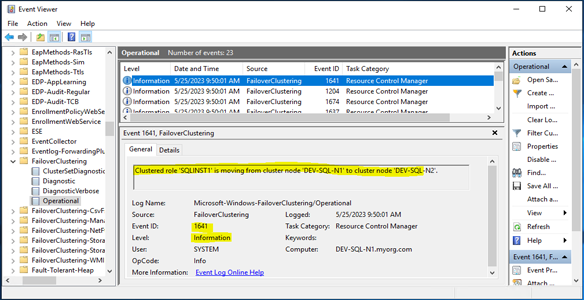
Automated creation of Failover Cluster-specific Event Viewer Custom Views for faster cluster monitoring and troubleshooting.
This PowerShell solution detects whether the Failover Clustering feature is installed and then creates a dedicated Cluster Events folder in Windows Event Viewer.
It automatically discovers Failover Clustering event providers and generates filtered views for cluster-related events across supported logs, including:
- System
- Microsoft-Windows-FailoverClustering/Operational
- Microsoft-Windows-FailoverClustering/Diagnostic
Why This Is Needed
Failover Cluster events are often spread across multiple Windows logs. During incidents, administrators may need to investigate node failures, resource failovers, quorum issues, storage problems, network interruptions, or cluster service errors.
Without predefined views, troubleshooting requires manual filtering across several logs, which slows down root cause analysis.
This script creates ready-to-use Event Viewer views so cluster administrators can quickly focus on relevant cluster events.
Custom Views Created
- Cluster Information: Displays normal cluster operational events and status updates.
- Cluster Warning: Displays potential issues that may affect cluster stability or performance.
- Cluster Error: Displays cluster failures and problems requiring administrator attention.
- Cluster Critical: Displays severe events that may impact availability or cause cluster downtime.
Key Capabilities
- Detects whether Failover Clustering is installed.
- Automatically discovers cluster event providers.
- Creates a dedicated Cluster Events folder.
- Builds XML-based Event Viewer Custom Views.
- Filters events by severity level.
- Includes available Failover Clustering logs.
- Overwrites existing views with the same names.
- Reduces noise from unrelated Windows events.
Benefits
- Faster cluster troubleshooting.
- Better visibility into failover events.
- Easier investigation of quorum, node, and resource issues.
- Standardized monitoring across cluster nodes.
- Reduced manual filtering in Event Viewer.
- Improved support during availability incidents.

