
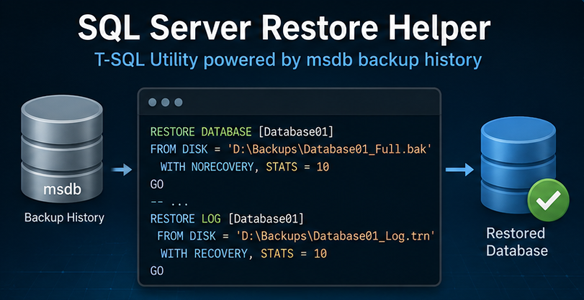
SQL Server Restore Script
SQL Server Local Backup Restore Helper
Overview
The SQL Server Local Backup Restore Helper is a T-SQL utility designed to simplify and standardize SQL Server database restore operations using backup history available in msdb.
The script supports restoring one or multiple databases either over the existing database name or as a new database, automatically generating the required RESTORE DATABASE and RESTORE LOG commands.
It is designed for SQL Server DBAs who need a controlled, repeatable and audit-friendly restore process with preview capability before execution.
Main Features
- Restore multiple databases in a single execution.
- Supports restore over the existing database.
- Supports restore as a new database using a configurable suffix.
- Supports Latest restore using the most recent valid backup chain.
- Supports Point-in-Time Restore.
- Uses Full, Differential and Transaction Log backup chains.
- Automatically identifies the required restore sequence from msdb.
- Automatically detects SQL Server default data and log paths.
- Automatically builds WITH MOVE clauses for new database restores.
- Supports preview mode without executing the restore.
- Optional drop of the target database before restore.
- Stop-on-first-error option.
- Generates complete restore commands.
- Produces an audit-friendly JSON report in SSMS Messages.
- Provides execution summary and detailed per-database results.
Restore Modes
- RESTORE_EXISTING_DB
Restores the database using the original database name.
This mode is used when the objective is to recover or overwrite an existing database.
- RESTORE_NEW_DB
Restores the source database as a new database using a configurable suffix.
Example: Database01 → Database01_Restore
This mode automatically relocates data and log files using SQL Server default paths and generates the required WITH MOVE clauses.
Restore Types
- LATEST
Restores the latest available backup chain.
The script identifies the latest valid backup sequence using SQL Server backup history and restores the database to the most recent possible point.
- PIT — Point-in-Time Restore
Restores the database to a specific date and time.
The requested point-in-time must be provided in the following format: DD/MM/YYYY HH:mm:ss
The script validates the input, selects the appropriate backup chain and applies transaction log backups using STOPAT.
Preview Mode
Preview mode allows DBAs to generate and validate the restore commands without executing them.
This is useful for:
- Change validation
- Peer review
- Restore planning
- Disaster Recovery testing
- Documentation
- Avoiding accidental restores in production
When preview mode is enabled, no database is restored.
JSON Restore Report
At the end of the execution, the script generates a structured JSON report in the SSMS Messages tab.
The report includes:
- Execution ID
- Start and end time
- Duration
- Executed by
- SQL Server name
- Instance name
- Restore mode
- Restore type
- Point-in-time value, when applicable
- Preview mode status
- Data and log paths
- Overall result
- Per-database restore result
- Target database name
- Effective restore time
- Number of backup steps
- Error messages, when applicable
This makes the execution easier to audit, document and attach to operational evidence.
Generated Output
The script returns several result sets in SSMS:
- Execution summary
- Per-database restore result
- Generated restore commands
- JSON report notification
The complete restore commands are available in the Results tab, while the formatted JSON report is printed in the Messages tab.
Benefits
- Reduces manual restore effort.
- Avoids repetitive restore command creation.
- Minimizes human error during recovery operations.
- Supports both operational restore and restore validation.
- Makes restores more consistent and repeatable.
- Provides clear execution evidence.
- Useful for DBA operations, DR tests and controlled recovery scenarios.
- Allows safe validation using preview mode.
Requirements
- SQL Server Database Engine.
- Backup history available in msdb.
- Valid Full, Differential and Transaction Log backups.
- Appropriate SQL Server restore permissions.
- Access to the physical backup files referenced in msdb.
- SQL Server Management Studio or compatible T-SQL execution tool.
Important Notes
This script relies on SQL Server backup history stored in msdb. If backup history was removed, moved, or not available on the target instance, the script will not be able to automatically determine the restore chain.
The script does not scan folders directly for backup files. It uses the backup metadata already registered in SQL Server.
Version History
Version 2.0
- Added preview mode.
- Added JSON audit output.
- Added Point-in-Time Restore support.
- Added RESTORE_NEW_DB support.
- Added automatic default data and log path detection.
- Added automatic WITH MOVE generation.
- Added multi-database restore processing.
- Added execution summary and detailed results.
